Automatic anonymization for PDFs and documents – simple, precise, and completely local.

  • (

    01

    )

    Privacy-friendly

  • (

    02

    )

    Batch processing

  • (

    03

    )

    PDFs & Images

  • (

    04

    )

    Heuristic detection

  • (

    05

    )

    Local processing

  • (

    01

    )

    Privacy-friendly

  • (

    02

    )

    Batch processing

  • (

    03

    )

    PDFs & Images

  • (

    04

    )

    Heuristic detection

  • (

    05

    )

    Local processing

Simply secure.

Finds what others miss. Protects before anyone else can read it.

Blursafe scans your documents for sensitive data and makes them unreadable. You stay in control. You decide what goes out.

A man wearing a cap and flannel shirt works on his laptop with a coffee in a café – Blursafe can be used anywhere to securely anonymize documents.

Ready for use anywhere

Ready for use anywhere

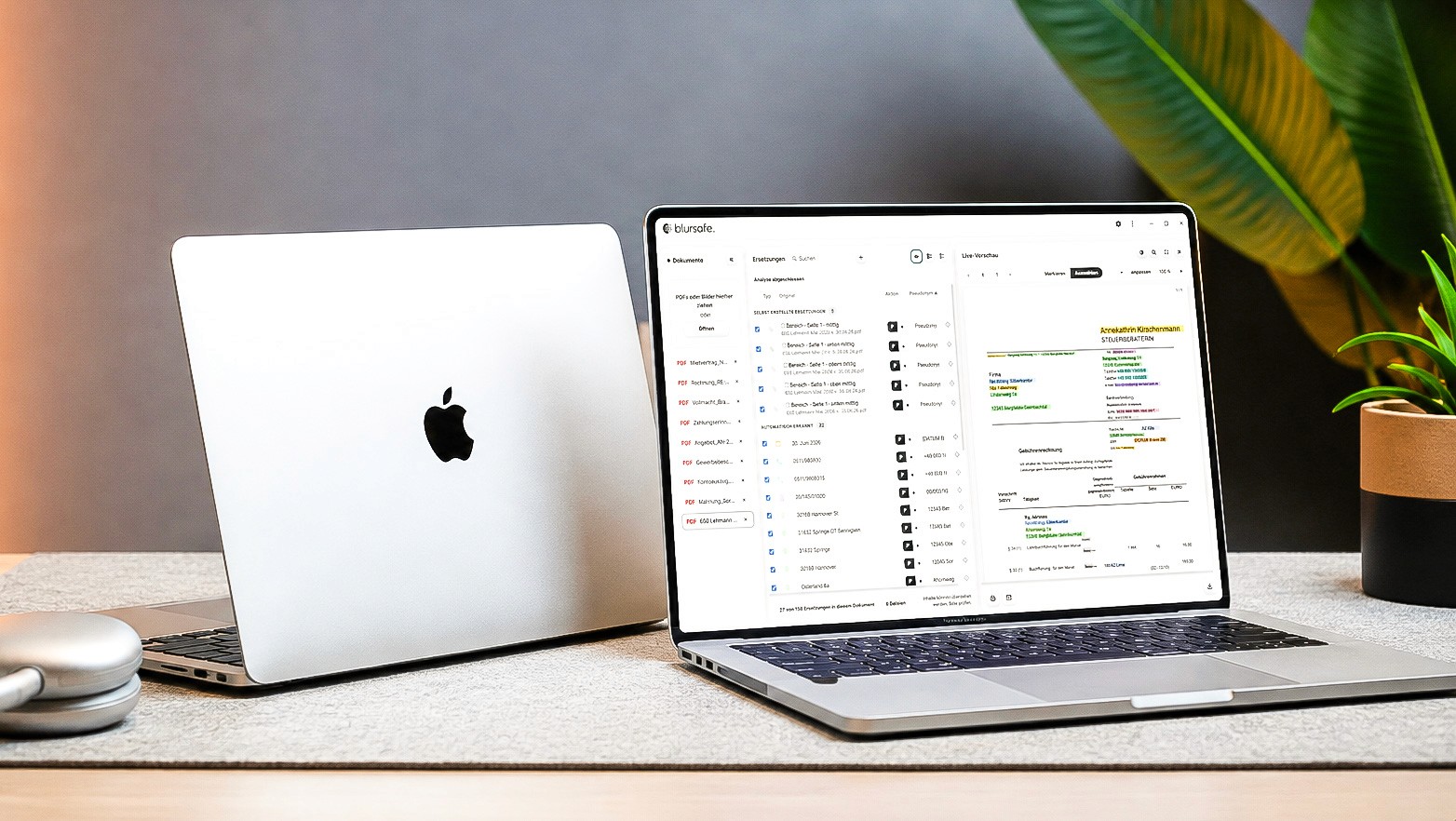
Blursafe software on a MacBook, detecting and highlighting personal data in a document.

Data Privacy in Practice

Data Privacy in Practice

Contact person at Blursafe.
Lennart Vermehr – Developer and support contact at Blursafe.
Timm Lehmann – Managing Director and Founder of Blursafe.
11+

Years of experience

Blursafe is software for companies
that know that data protection
is not a form, but
a decision.

Local. Always.

No server, no data sharing. Your documents stay on your device.

Grows with you.

Whether one document or a thousand, Blursafe processes any volume effortlessly.

Full control.

Every match is verifiable. You decide what gets redacted.

How it works

Blursafe in action.

Three short videos show the entire process using a real lawyer's letter, uncut.

VIDEO 01

Open and recognize document

Select a PDF or scan. Blursafe imports the document locally, detects names, addresses, and identifiers, and highlights every match.

1:03

VIDEO 01

Open and recognize document

Select a PDF or scan. Blursafe imports the document locally, detects names, addresses, and identifiers, and highlights every match.

1:03

VIDEO 02

Check pseudonyms and redactions

Review matches, adjust pseudonyms, and add redactions. What belongs together stays together.

1:11

VIDEO 02

Check pseudonyms and redactions

Review matches, adjust pseudonyms, and add redactions. What belongs together stays together.

1:11

VIDEO 03

Export and control

Output as a new PDF with an invisible text layer. The original remains unchanged, and redacted content is no longer included.

0:38

VIDEO 03

Export and control

Output as a new PDF with an invisible text layer. The original remains unchanged, and redacted content is no longer included.

0:38

Comparison

Blursafe in comparison.

Adobe Acrobat Pro, anymize, and Redactable also redact or anonymize documents. Here you can see how the approaches differ, according to the manufacturers' specifications as of September 2026.

Criterion

Blursafe

Acrobat Pro

anonymize

Redactable

Local processing

✓

~

✗

✗

Irreversible Redaction

✓

✓

~

✓

Automatic detection

✓

~

✓

✓

OCR for scans

✓

✓

✓

✓

Consistent pseudonyms

✓

✗

~

✗

Data remains in-house

✓

~

✗

✗

Unlimited documents

✓

✓

✗

✗

Price

/ month

€39

€23.79

from €20

from $29

Adobe Acrobat Pro

anonymize

Redactable

Criterion

Blursafe

Adobe Acrobat Pro

Local processing

✓

~

Irreversible Redaction

✓

✓

Automatic detection

✓

~

OCR for scans

✓

✓

Consistent pseudonyms

✓

✗

Data remains in-house

✓

~

Unlimited documents

✓

✓

Price

/ month

€39

€23.79

Sources and notes on the comparison

3

Operating Systems

macOS, Windows, and Ubuntu with a single license; updates are checked automatically.

3

Operating Systems

macOS, Windows, and Ubuntu with a single license; updates are checked automatically.

100%

Local

Documents are processed entirely on your computer—no cloud, no uploads, and no AI training with your data.

100%

Local

Documents are processed entirely on your computer—no cloud, no uploads, and no AI training with your data.

2

Proceeding as one

Redact and pseudonymize in the same run—each spot gets the treatment it needs.

2

Proceeding as one

Redact and pseudonymize in the same run—each spot gets the treatment it needs.

Areas of application

For everyone who needs to share documents.

( 01 )

Law firms

Pseudonymize case files before they are shared with AI services, experts, or opposing counsel.

pleadings

Client files

Expert opinion

( 02 )

Tax consulting

Maintain professional secrecy pursuant to Section 62a of the German Tax Advisory Act (StBerG) whenever documents leave the premises.

Annual financial statements

Payroll documents

Notifications

( 03 )

Authorities

Inspection of records under the Freedom of Information Act (IFG) and Administrative Procedure Act (VwVfG) without disclosing third-party information.

Notifications

Access to files

Operations

( 04 )

Insurance

Settle claims for auditors and experts.

Damage reports

Expert opinion

Policies

Three people sit with laptops in a glass-walled law firm meeting room discussing case files – Blursafe pseudonymizes case files before they are shared.

Contact person

The team behind Blursafe

Timm Lehmann

Developers & Support

  • Lennart Vermehr

    Development

  • Madeleine Lehmann

    Service & Support

  • Timm Lehmann

    Developers & Support

  • Carina Dullau

    Development

  • André Maas

    Marketing & Sales

  • Lennart Vermehr

    Development

  • Madeleine Lehmann

    Service & Support

  • Timm Lehmann

    Developers & Support

  • Carina Dullau

    Development

  • André Maas

    Marketing & Sales